Finding good keywords for Pinterest means treating the platform as a visual search engine rather than a social media network. You collect the exact phrases people type into Pinterest search, confirm their demand through Pinterest’s own autocomplete, guided search, related searches, Trends, and Ads Manager data, and then place the best phrases in your profile, boards, and Pins. A good Pinterest keyword is specific, actively searched, relevant to the image it describes, and realistic to rank for.
This answer belongs to the Pinterest Keyword Research FAQ, the hub for every keyword question in this series.
There are many way to find keywords, and there is no single method that can be a one size fits all thing.
However, here are are some sensible ways to find keywords for your blog post that ranks on Pinterest.
Use The Search Bar Autocomplete
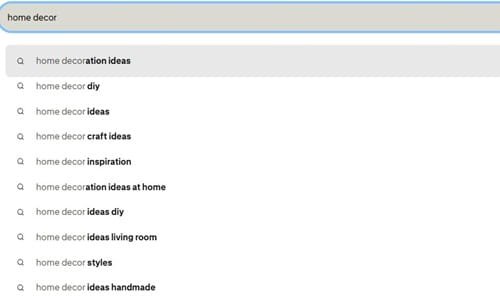
Start by typing in a general keyword (1 or 2 words) such as ‘home decor’ or ‘spring outfits’.
Take a look at the autocomplete options that appear.
These are sorted by popularity and are real keywords people are searching for.
Try adding in some modifiers such as ‘how to’, ‘best’, ‘easy’, or ‘quick’.
This will give you some long tail variations. Take your seed keyword and add a modifier to it to make it much more specific.
For example ‘meal prep’ could become ‘easy meal prep for beginners’.
Look At The Guided Search bubbles

After searching take a look at the coloured boxes underneath the search bar.
These are Pinterests guided search bubbles. Click on one and you’ll notice your results have become more specific.
Click on another one and they get even more specific. Usually every time you click on a keyword you’ll get a 3 to 5 word long tail keyword. Make a note of any bubbles that fit your content.
Look At Related Searches
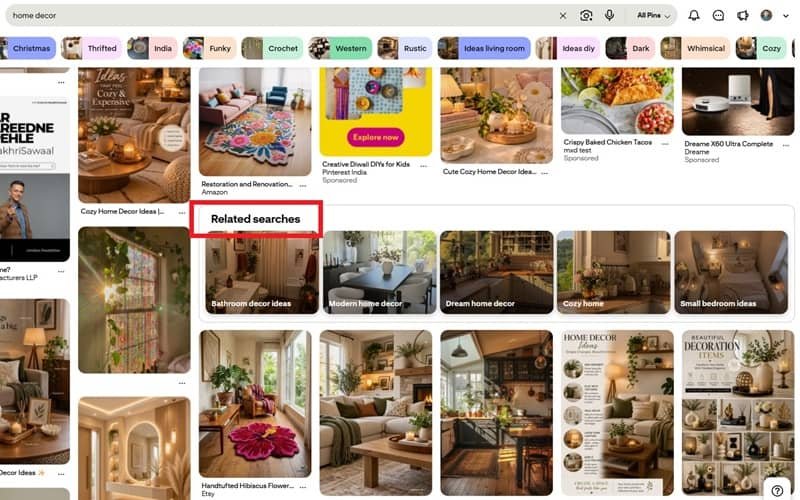
Scroll down your results and look for the Related Searches section.
This will give you extra keywords that Pinterest thinks are related to your search.
Take a look at the top Pins in your niche.
Read through the titles and descriptions and pay attention to how the words are ordered. ‘Cold spring outfit’ won’t have the same performance as ‘spring outfit cold’. Copy how people are using their keywords.
Pinterest Trends
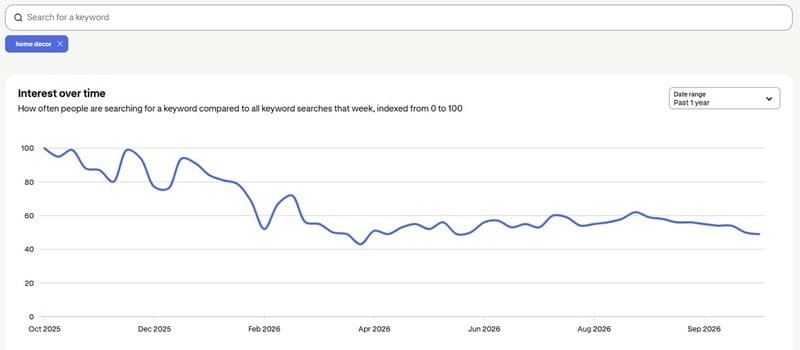
Pinterest trends will show you how popular a certain keyword is to search for.
Start with your core keyword and then add some adjectives to describe it such as ‘best’, ‘pretty’, or ‘fun’.
Compare the spikes on the graph. It will also show you how seasonal the keyword is.
Using this information you can plan when to post your content. Try to plan ahead 45 days before the peak. Pins take some time to get indexed and start performing.
Ads Manager Keyword Tool
You don’t need to spend any money on ads.
Create a Pinterest Business account. Click create campaign. Fill out the information until you get to the interests and keywords section.
Type in your niche keyword and Pinterest will show you the search volume.
This will help you find some low competition keywords for free. If you want some more long tail keywords you can use third party tools such as the Pinterest Keyword Tool or KeySearch Pinterest tool.
Note: Adsmanager option may not be available in all regions. If your region falls into this, its recommended that you go for the shortcut option and that is to use Pintrendo Pinterest Keyword Tool.
Use Pintrendo – The shortcut way
The problem with doing the keyword research manually is that whilst you will find lots of keywords, you won’t know which keywords you can realistically rank for.
You’ll be left with a list of nice sounding keywords however most will be dominated by well known accounts.
Using the Pintrendo Pinterest keyword tool you can find the right keywords. It will help filter out the hard to rank keywords for you.
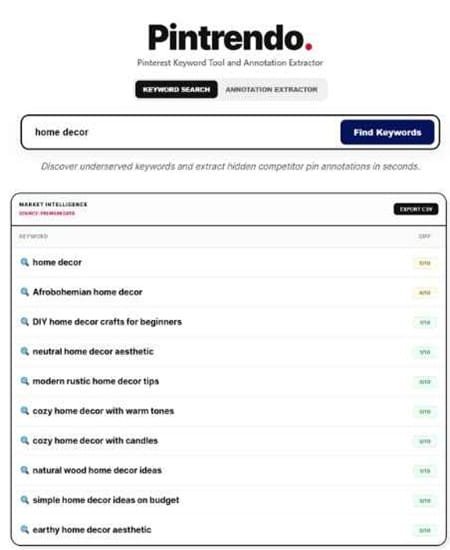
In Pintrendo there are 3 layers working together. A manually curated database, a dynamic engine that crawls Pinterest to pull the latest information and an AI model in between.
This will help give you a curated list of keywords to use.
You won’t have to try dozens of keywords as you’ll have a shortlist of keywords to choose from.
Note: This is just one part of the process. To learn how to build and organize your keyword list check out our indepth guide on Pinterest keyword research that shows the other innovative ideas rarely discussed. For quick answers to similar questions please check out our Pinterest Keyword Research FAQ.
Where To Add Your Keywords
Once you’ve done your keyword research you need to place your keywords somewhere Pinterest can pick them up. Be sure to use them naturally.
Business profile: Display name and Bio.
Boards: Board name and 2-3 sentence description.
Pins: Use your main keyword at the beginning of your Pin title. Write 2-4 sentences for the description using your keywords naturally.
Final Thoughts
These 5 methods shouldn’t be used as alternatives.
They should be used in a sequence. Using the autocomplete and guided bubbles will allow you to see what people are saying.
Using trends will tell you when people are searching. Using the Ads Manager will tell you how often people are searching.
The better the keyword appears in all 3 the better your chances are.
However if your Pin doesn’t visually represent your keyword then it won’t matter how good the keyword is.
Pinterest looks at the image as well as text. Choose keywords that your creativity can genuinely showcase.
Every season you should go back through your list. As search terms change much quicker than most creators expect.
<< Back To Pinterest Keyword Research FAQs